★★★★★
Elite Motors, Manchester
Diary, MOT reminders & invoicing in one place. Admin time cut in half.
Read more
All-in-one CRM — bookings, job cards, parts, staff & wages, MOT reminders, invoices & customer history
My Garage CRM is a dedicated mechanics CRM built specifically for UK workshops. Replace paper diaries and spreadsheets with one joined-up system: diary & bookings, digital job cards, parts & stock, technician time & wages, MOT reminders, invoicing and customer CRM — all connected from day one.
Designed around real workshop work. From first call to final invoice, every step is tracked and connected — job cards pull parts from stock, completed jobs raise invoices in one click, and every visit logs against the customer record. Mechanics, service advisors and office staff all work in one live system — jobs, parts, notes and payments never get lost.
Drag-and-drop diary, bay & technician availability, double-booking prevention, SMS/email confirmations. Full details on the diary booking system page.
Complaint/cause/cure, labour lines, parts, photos, inspections, technician notes. Status: booked to completed to invoiced. See the job management module for full detail.
Automated SMS & email reminders keep bays full and customers returning on time. Full MOT management with DVSA-compliant recording.
Full history: quotes, jobs, invoices, MOT dates, notes, last visit & lifetime value. Professional experience at reception. See customer management.
Link parts to job cards, track margins, set reorder levels, avoid write-offs and uncharged parts. Full inventory management included.
Proactive updates for readiness, extra work and payment. Logged to the customer record automatically.
Attach photos and checksheets to job cards. Upsell transparently and reduce disputes.
Labour sales, parts margins, job count, hours sold vs paid, profit – all in one clear view.
Track mechanic hours, overtime, bonuses and holiday. See hours sold vs hours paid for each technician and link labour to wages for clear profitability.
Booked vs actual time per job. Measure efficiency, improve productivity and reduce admin.
Labour rates, hours and wages directly in CRM. See profit by mechanic, day and job type.
Plan rotas and leave so diary reflects real availability before you fill bays.
Right access for advisors, mechanics and managers. Protect pricing & reports while keeping UX simple.
Volume discounts available
| Features | Starter | Professional | Enterprise |
|---|---|---|---|
| No Set Up Costs | ✓ | ✓ | ✓ |
| Support Included | ✓ | ✓ | ✓ Priority |
| AI Mechanic Assistant | ✓ | ✓ | ✓ |
| Invoicing & Estimates | ✓ | ✓ | ✓ |
| Job Booking System | ✓ | ✓ | ✓ |
| Client Management | 250 limit | 500 limit | Unlimited |
| Staff Users | Up to 3 | Up to 10 | Unlimited |
| Diary Calendar | ✓ | ✓ | ✓ |
| MOT Checker & Reminders | ✓ | ✓ | ✓ |
| Basic Reporting | ✓ | ✓ | ✓ |
| Parts Sales & Inventory | ✓ | ✓ | |
| Product Sales | ✓ | ✓ | |
| Staff Systems & Rotas | ✓ | ✓ | |
| Purchase Orders | ✓ | ✓ | |
| Advanced Reporting & Analytics | ✓ | ✓ | |
| SMS Reminders | ✓ | ✓ | |
| Car Sales Module | ✓ | ||
| API Access | ✓ | ||
| Automated Marketing Tools | ✓ | ||
| Financial Dashboard & Forecasting | ✓ | ||
| On-Demand Backup & Restore | ✓ | ||
| Priority Support & Training | ✓ |
Most UK independent garages start with a combination of a paper diary, a spreadsheet for invoices and a text message to remind customers their MOT is due. It works until it doesn't — until a job goes unbilled, a reminder doesn't go out, or a customer disputes work because there's no written record. Here is what changes when you switch to a purpose-built mechanics CRM.
The difference between a mechanics CRM and a collection of separate tools is that information created in one place flows automatically to every other place it's needed. Here is how the modules connect inside My Garage CRM.
When a customer books online or by phone, the diary entry creates the digital job card automatically — customer name, vehicle and service type already populated. Nothing gets re-typed from one system into another.
Parts are added to the job card directly from the stock catalogue. Each part deducts from inventory in real time — no separate sheet to update, no parts used without being charged.
Mark a job complete and every labour line and part carries into a VAT-compliant invoice in one click — sell prices, margins and totals all calculated. No re-entry, no missed lines.
MOT expiry dates recorded during a job feed the automated reminder system — SMS and email reminders sent at the right time without any manual action from your team. Bays stay full without the phone-round.
Each completed job is stored permanently in the customer CRM — every vehicle, every service, every part used, every advisory and every invoice. When the car returns, the full history is visible in seconds without touching a filing cabinet.
Time logged on job cards flows into staff management — hours sold vs paid per technician, productivity patterns, overtime and rota planning, all from the same data that drives the job card. No separate time sheet, no double entry.
Jobs, invoices, parts margins and technician hours all flow into business reports that update live as the day progresses — revenue by service type, profit per job, busiest booking slots, technician utilisation and stock turnover in one dashboard.
My Garage CRM is used across the full range of UK independent automotive businesses — from a single-bay mobile mechanic to a multi-site workshop group. The CRM adapts to the way you work, not the other way round.
The most common use case — a 2–6 bay workshop running servicing, repairs, MOTs and tyres. Replace the paper diary, the invoice spreadsheet and the manual reminder texts with one system your whole team uses from day one.
Automated MOT reminders keep every bay booked without manual phone rounds. DVSA-compliant pass/fail recording, advisory tracking and follow-up repair workflow all built in.
Fully cloud-based — job cards, invoicing and customer history accessible from any device on any site. Raise a professional invoice from your phone the moment the job is done.
High-volume, fast-turnaround work needs a system that creates jobs quickly. Job cards created in under two minutes, parts deducted from stock instantly, invoices raised in one click at collection.
When you have multiple mechanics working simultaneously, visibility matters. Every job, every technician and every bay visible on the workshop dashboard — manager can see who's doing what and what's overdue without leaving the office.
Manage several workshop locations from a single login — consolidated reports across all sites, staff permissions per location and a consistent customer experience whether the car is booked in at your main site or a satellite branch.
Watch how My Garage CRM handles a full workshop day — bookings, digital job cards, parts from stock, MOT reminders, technician hours and invoicing all working together in one connected mechanics CRM.
Explore the full system: Diary & Bookings · Job Cards · MOT Management · Parts & Stock · Invoicing · Customer CRM · Reports · Pricing
Diary, MOT reminders & invoicing in one place. Admin time cut in half.
Read moreTechnicians actually like it. Job cards & staff hours are crystal clear.
Read moreMoved from spreadsheets to a proper CRM in a week. Wish we’d done it sooner.
Read moreCustomer history, MOT dates & invoices in one screen. Professional & fast.
Read moreMOT reminders go out automatically. Customers love it and we never miss a renewal.
Read moreQuotes turn into invoices in seconds. No double keying, no mistakes.
Read moreJob cards on a tablet in the workshop. Lads don't need to come to the office at all.
Read moreRunning four bays on my own used to be chaos. This CRM keeps everything in order.
Read moreParts purchasing and labour on the same job card. Margins are clear for the first time.
Read moreInvoices look so professional. Customers comment on them — great for the brand.
Read moreSwitched from a paper diary six months ago. I'd never go back. Booking clashes are gone.
Read moreCustomer texts go out when the car is ready. Phone calls to chase updates have almost stopped.
Read moreFull vehicle history on screen before I even pick up the phone. Customers think I've got a great memory.
Read moreEasy to train new staff on. We had a new receptionist up and running same day.
Read moreWorkshop utilisation is up. I can see exactly which bays are free at a glance.
Read moreMonthly reports used to take a morning. Now I pull them in two minutes.
Read moreTracks warranty jobs separately from standard repairs. Keeps our accounts clean.
Read moreWe text customers a payment link with the invoice. Cash flow has noticeably improved.
Read moreReminder campaigns brought back customers we hadn't seen in two years. Brilliant feature.
Read moreRunning three sites from one login. Couldn't manage the group any other way now.
Read moreTyre stock levels linked to job cards. We order at the right time, not in a panic.
Read moreGDPR compliance used to worry me. Customer data is stored properly and securely now.
Read moreI run the front desk solo. This CRM handles the reminders so I can focus on customers.
Read moreParts costs attached to each job. No more guessing where the margin went at month end.
Read moreCustomer portal means they can see job status without calling us. Saves so much time.
Read moreUsed three different systems before this. None of them were built for garages like this one is.
Read moreWe photo the car on arrival and attach it to the job. Dispute resolution is a breeze now.
Read moreTechnician productivity is up. They spend time fixing cars, not filling in paper job cards.
Read moreMOT lane diary is full two weeks ahead every single week since we started using this.
Read moreService plans sold through the CRM. Customers pay monthly and we retain them all year.
Read moreEvery customer record shows spend history. Upselling feels natural, not pushy.
Read moreAccounts export straight to my bookkeeper. End of month used to take days, now it's an hour.
Read moreSupport team actually understand garages. Every question I've asked has been answered quickly.
Read moreBest value CRM I found for a single-site garage. Does everything the big systems do at a fraction of the cost.
Read moreLabour, parts & wages line up. We finally see true profit per job.
Read moreMost CRM software is built for sales teams — tracking leads, pipelines and email campaigns. A mechanics workshop needs something completely different. You're not closing deals; you're managing physical cars, tracking parts on the shelf, recording what a technician actually did to an engine, and making sure a customer's MOT reminder fires at the right time. Generic CRM tools don't understand any of that — and trying to make them fit costs more time than they save.
None of these are bad features. They're just the wrong features for a workshop. A garage needs job cards, vehicle records and MOT dates — not a pipeline with deal stages.
My Garage CRM was built from the ground up for UK mechanics. Every module — from bookings through to business reports — was designed around how a workshop actually operates, not adapted from sales software. That's why 1,500+ UK garages use it daily instead of trying to make a generic tool fit.
My Garage CRM is not a single tool with one function. It is eight interconnected modules that each handle a specific part of workshop operations — and all share the same live data so information entered once flows everywhere it needs to go.
Drag-and-drop bay allocation, technician availability, online customer booking, double-booking prevention and automatic SMS/email confirmation. When a booking is made it creates the job card — no re-entry.
Complaint, cause and cure fields, labour lines, parts from stock, photos, digital inspection sheets, technician notes and status tracking from booked through to invoiced. Everything on the card feeds the invoice in one click.
Record MOT dates against every vehicle. Automated SMS and email reminders fire at 28, 14 and 7 days before expiry. Keeps your bays booked without any manual chasing. DVSA-compliant MOT record keeping included.
Full parts catalogue with cost prices, sell prices and reorder levels. Parts added to a job card deduct from stock in real time. No more uncharged parts and no more emergency orders because someone forgot to flag low stock.
VAT-compliant invoices raised directly from the job card. All parts and labour already itemised — no re-entry. Send via email or SMS, record payment, and see all outstanding balances in one view. Integrates with your financial reports.
Every customer has a full record: all vehicles, every job ever done, all invoices, MOT dates, notes, last visit and lifetime value. When a car comes back in, reception can see the entire history in seconds — no paper files, no searching.
Log technician hours against job cards, track sold hours versus paid hours, manage rotas and holiday, set permissions by role, and see profit per mechanic. Labour data links directly to wage calculations so there's no separate payroll spreadsheet to maintain.
Live workshop dashboard showing jobs in progress, labour sold today, parts margins, invoices raised and outstanding payments. Detailed reports by period, technician, job type and customer. Every number updates the moment a job completes or a payment is logged.
The best way to understand what a mechanics CRM actually does is to follow a real working day. This is how a typical UK independent garage runs from the moment the doors open to the moment the last invoice is sent — with My Garage CRM handling the admin so the team can focus on the cars.
The service manager opens the workshop diary and sees every booking for the day: customer names, vehicles, services booked and which technician each job is assigned to. No paper sheets, no whiteboard scramble. Outstanding jobs from yesterday with a status flag are visible immediately. Any car with an advisory from a previous visit has a prompt ready at the top of the job card.
A customer walks in without a booking. Reception searches by registration — the customer and vehicle already exist from a previous visit. Their service history, last MOT date and any outstanding advisories are on screen immediately. A new job card is created, the complaint is logged, and the job is assigned to the next available technician in under two minutes. No paper. No duplicate entry.
A mechanic finds a worn brake disc not on the original booking. They add the additional parts from the stock catalogue and labour line to the job card, and the system generates an estimate. The service manager sends it to the customer via SMS with one click. The customer approves it from their phone. The timestamp and approval are logged to the job card automatically — full audit trail, zero dispute risk.
The technician marks the job complete and logs their hours. The invoice is generated from the job card with all parts, labour lines and VAT already calculated — nothing to re-enter. The invoice is sent to the customer by email before they arrive. Parts used have already been deducted from stock. Technician hours have been logged against their daily total. The job is closed.
Before locking up, the manager checks the workshop dashboard: jobs completed today, labour sold, invoices raised, payments received and any outstanding balances. Stock levels updated automatically. Overnight, the system sends MOT reminders to customers whose tests are due in the next 14 days — bays filled for next week without a single phone call made.
The single biggest source of unnecessary phone calls in a UK workshop is customers ringing to ask "is my car ready yet?" Every call interrupts work on the floor and costs real time. My Garage CRM removes those calls by sending the right message at the right moment — automatically, without anyone in the workshop having to remember to send it.
A workshop taking 20 inbound "is it ready" calls a day loses roughly 30–40 minutes of productive time — time that compounds across a year into hundreds of hours. Automated status updates cut that interruption load dramatically. Garages using My Garage CRM typically report inbound chase calls dropping by over 70% within the first month.
Every message sent is logged to the customer record automatically. If a customer later says they weren't told about additional work, the record shows the exact message sent, the time it was delivered and whether it was read. That evidence protects the business and resolves disputes before they escalate.
Message templates are fully customisable to match your garage's tone — whether that's professional and formal or friendly and local. All messages go out under your business name. Customers never see the software behind it.
MOT reminders alone typically recover 15–25% more repeat bookings compared to garages relying on customers remembering their own renewal date. At £50–£80 per MOT, that's a measurable revenue line that runs on autopilot once set up.
The most common reason UK garages delay moving to a proper mechanics CRM is the same one that delays most software decisions — the fear of disruption during the switch. Here is exactly what the process looks like, and why most workshops are fully live within one working week.
Your account is set up with your business details, VAT number, labour rates and pricing. We configure your SMS/email templates, MOT reminder sequences and any custom fields specific to your workflow. Most garages complete this step in under two hours.
Customer records, vehicle details and MOT dates are imported from your existing system — whether that's a spreadsheet, another piece of software or a CSV export. You don't start from a blank slate. Your existing customer base and vehicle history moves across with you.
A guided walkthrough with your team — reception, technicians and manager. My Garage CRM is intentionally straightforward: most staff are comfortable creating job cards and raising invoices on the first day. No week-long training courses, no consultant fees.
Your first live day. Real bookings, real job cards, real invoices. Support is available throughout — if anything is unclear, the team is reachable directly. Most garages complete their first full day without needing to contact support at all.
By week two, MOT reminder sequences are running automatically and the dashboard is showing meaningful data. You'll see parts margins, technician hours and outstanding invoices in a live view — information that was invisible before.
The full trial period is 28 days. No credit card required to start. If it's not the right fit — which in our experience is rare — you keep all your data and we part on good terms. No cancellation fees, no data held hostage. Start your trial here.
Already using another system? We can work alongside your current software during transition so there's no gap in your operations. Most garages that switch to My Garage CRM from another tool find the move takes less time than they expected — and wish they'd done it sooner. Talk to the team about your specific setup.
A Mechanics CRM combines diary, job management, customer records, MOT reminders, invoicing, staff tracking and reporting in one workshop‑focused system.
Yes. Track technician hours, see sold vs paid, record overtime & bonuses, link labour to wages and report profitability clearly.
Absolutely. Many 1–3 bay workshops use My Garage CRM daily to replace paper and basic invoicing with a professional workflow.
Most workshops are live within a day. Sign up, add key customers and start booking jobs and MOTs the same afternoon.
Yes. We help migrate customers, vehicles, jobs & MOT history to start with complete records.
Yes. My Garage CRM includes a full VAT-compliant invoicing system — raise invoices from job cards in one click, send by email or SMS, record payment and track outstanding balances. Most garages drop their separate invoicing tool entirely within the first month.
MOT expiry dates are recorded against each vehicle. The system automatically sends SMS and email reminders at 28, 14 and 7 days before the expiry date — no manual action required. Customers click the link in the message to book directly into your online diary. You can customise the message content and timing to suit your garage.
Absolutely. The Starter plan is built for smaller operations — a single mechanic or mobile mechanic running their own books. You get the full system: job cards, invoicing, customer records, MOT reminders and parts tracking. No minimum team size, no features locked behind higher plans that you'd need from day one.
Yes. All data is stored on UK-based cloud infrastructure, encrypted in transit and at rest. My Garage CRM is built in compliance with UK GDPR. Customer data belongs to your business — you can export it at any time and we do not share it with third parties. A full data processing agreement is available on request.
From solo mobile mechanics to busy multi-bay workshops — see how real UK mechanics use the system.
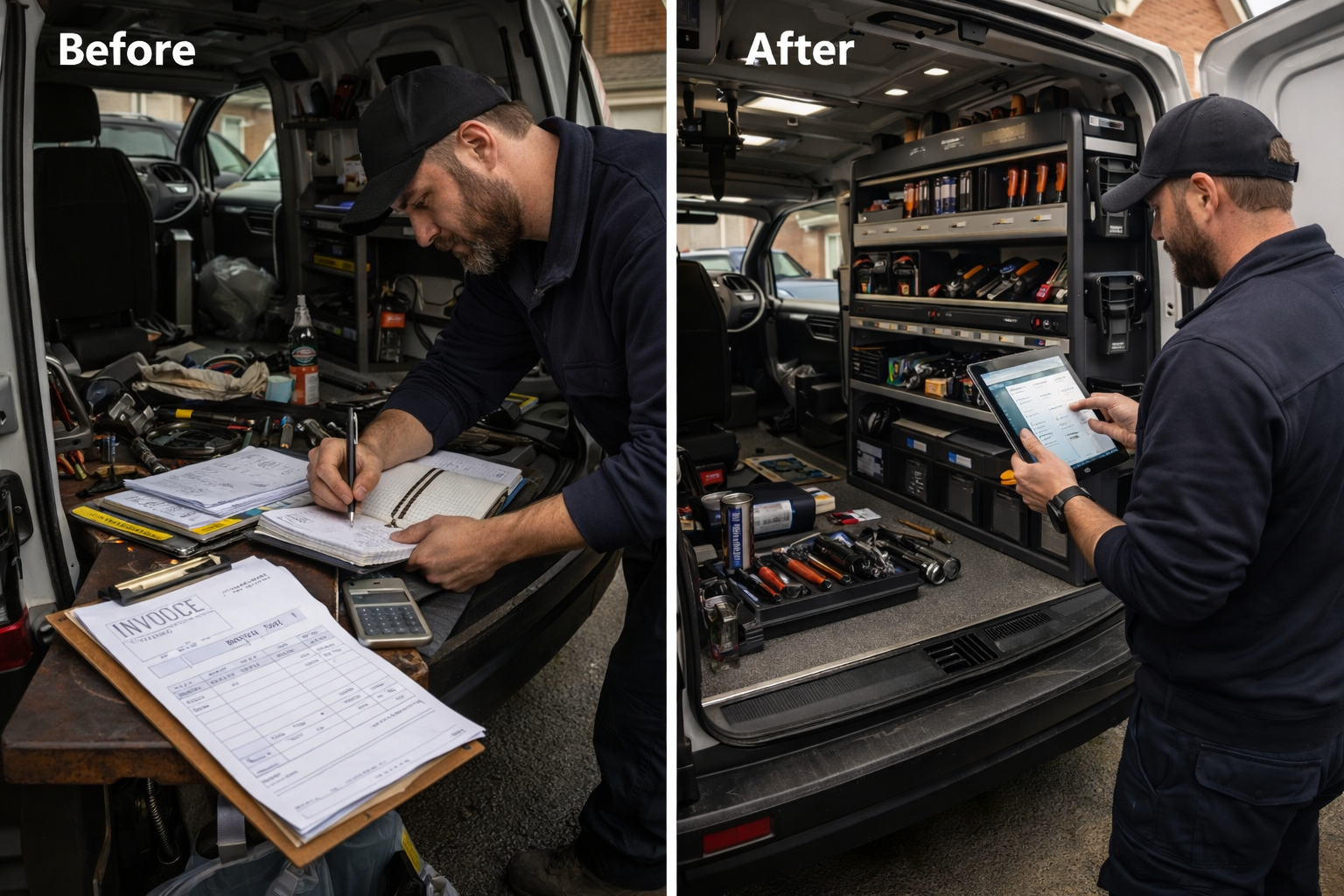
Solo mobile mechanic managing customer records in a notebook and invoicing from a free template. My Garage CRM replaced every tool — job cards, invoicing, reminders and customer history — accessible from a phone at every job site.
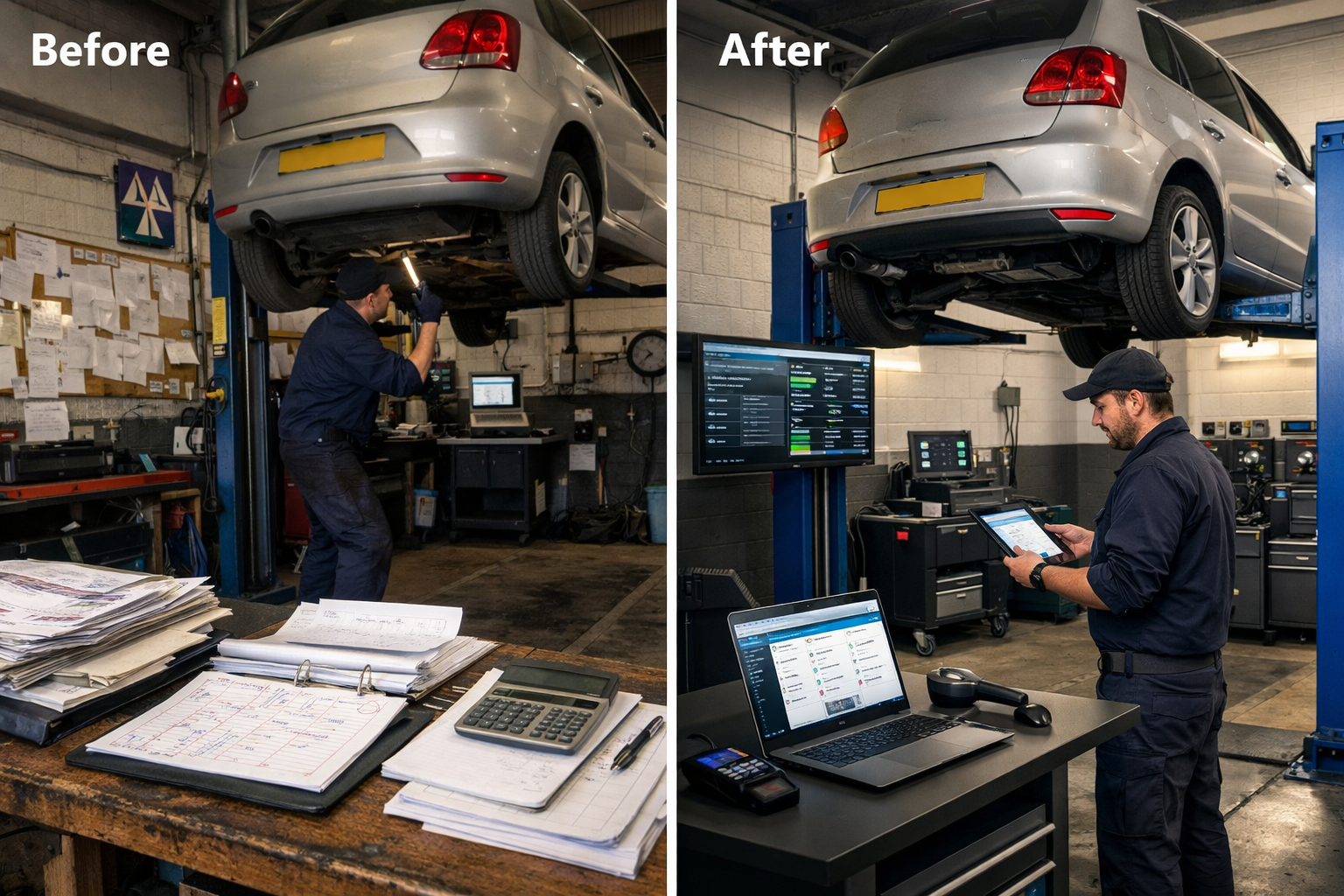
Owner-operator mechanic running on paper job cards and a whiteboard. Migrated to My Garage CRM in one afternoon — 400+ customer records, every MOT date and full vehicle history live by end of day.
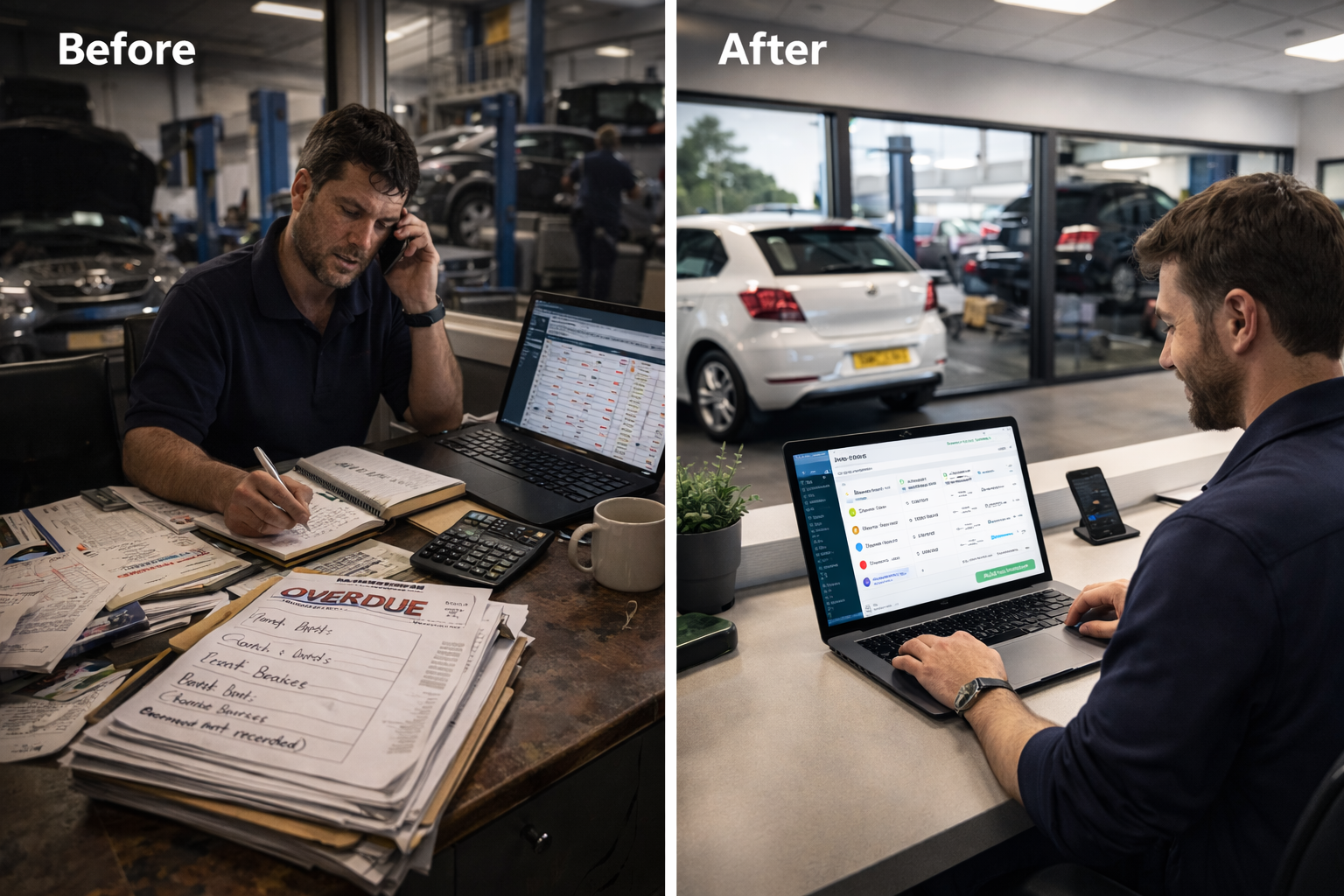
£11,000 in unpaid invoices and no time to chase them. Automated multi-stage reminders with one-tap payment links got 60% of overdue invoices paid in the first month — without a single phone call.
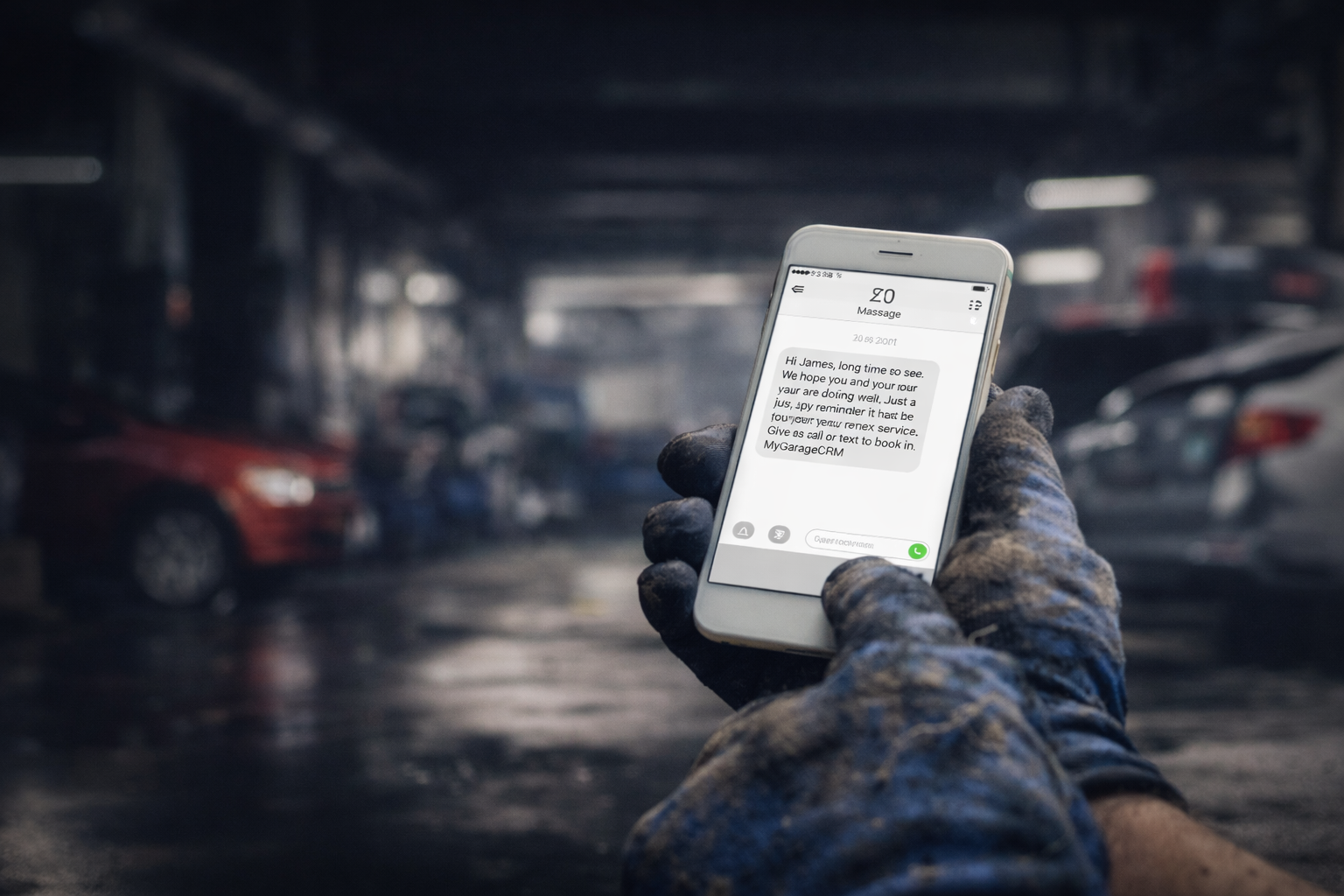
600 customers who hadn't visited in over a year — identified in 10 seconds and contacted with one SMS. £3,000 in bookings recovered within two weeks from customers assumed lost for good.
Practical advice on running a smarter workshop — invoicing, reminders, job cards, marketing and more.
Three market shifts making CRM essential. What happens without one — and the ROI in the first 90 days.
Read article Getting StartedThe priority matrix, week-by-week timeline and 5 mistakes that derail the switch from paper to digital.
Read article Jobs & Workshop16 min admin per job on paper vs 2.5 min digital. The workflow comparison that makes the switch obvious.
Read article InvoicingFlat-rate billing, missing parts, no payment links. Five mistakes — and £3,300/month walking out the door.
Read article MOT & Servicing40–60% of MOT customers leave every year. Automated reminders cut that to 20% with zero manual effort.
Read article MarketingSMS vs email for mechanics. Fill your diary, recover lapsed customers and boost Google reviews — all via text.
Read article MarketingAutomated post-job review requests. 23% conversion rate. 3.9 → 4.8 stars in 4 months. Zero effort.
Read article Jobs & WorkshopThe 30% gap between paid and billed hours. Where it goes, how to find it, and the team conversation.
Read article ComparisonYour spreadsheet costs £3,945/month in hidden losses. The 8 signs you've outgrown it.
Read article Getting StartedDay-by-day setup: configure Day 1, quick wins Week 1, full automation by Week 2, prove ROI Day 30.
Read article